TutorialWant to see MobileNetV2 SSD FPN-Lite models in action? Check out our Detect objects with bounding boxes tutorial.
How to get started?
To build your first object detection models using MobileNetV2 SSD FPN-Lite:- Create a new project in Edge Impulse.
- Make sure to set your labelling method to ‘Bounding boxes (object detection)’.
- Collect and prepare your dataset as in object detection.
- Resize your image to fit 320x320px
- Add an ‘Object Detection (Images)’ block to your impulse.
- Under Images, choose RGB.
- Under Object detection, select ‘Choose a different model’ and select ‘MobileNetV2 SSD FPN-Lite 320x320’
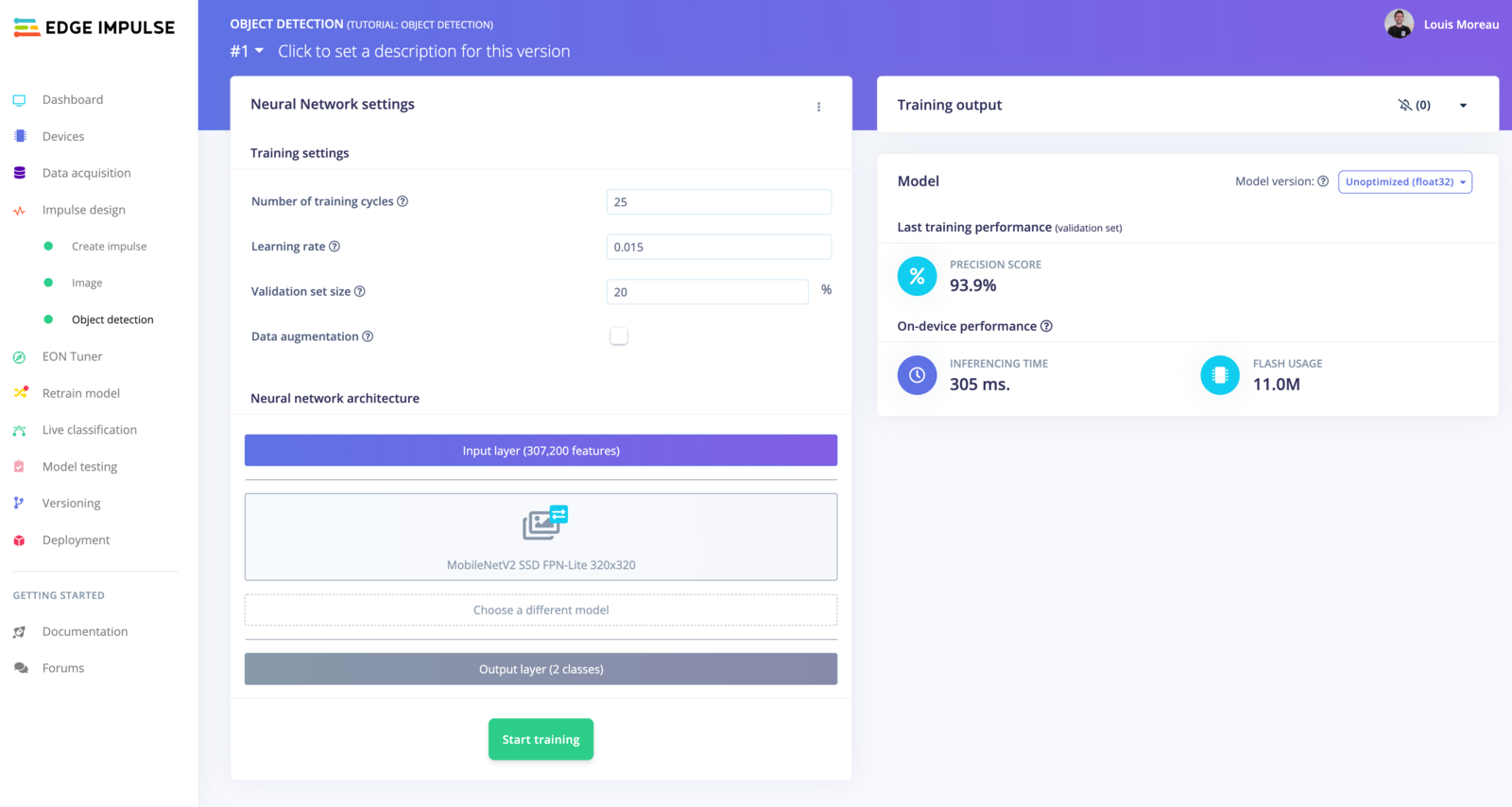
- You can start your training with a learning rate of ‘0.15’
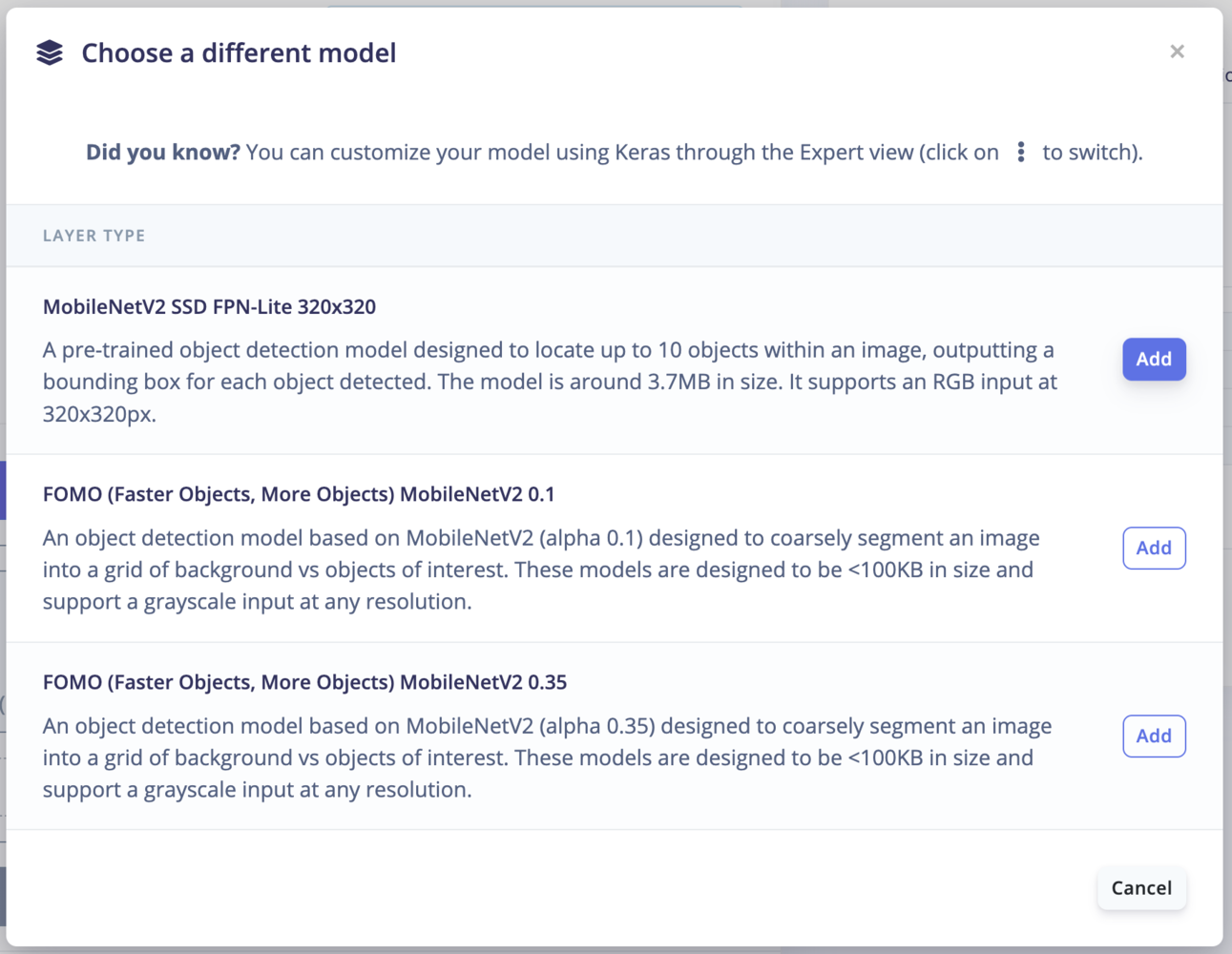
- Click on ‘Start training’
How does this 🪄 work?
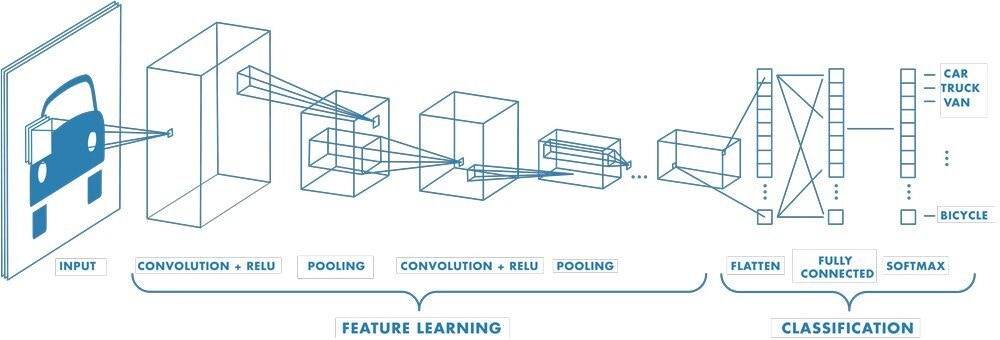
Here, we are using the MobileNetV2 SSD FPN-Lite 320x320 pre-trained model. The model has been trained on the COCO 2017 dataset with images scaled to 320x320 resolution. In the MobileNetV2 SSD FPN-Lite, we have a base network (MobileNetV2), a detection network (Single Shot Detector or SSD) and a feature extractor (FPN-Lite). Base network: MobileNet, like VGG-Net, LeNet, AlexNet, and all others, are based on neural networks. The base network provides high-level features for classification or detection. If you use a fully connected layer and a softmax layer at the end of these networks, you have a classification.